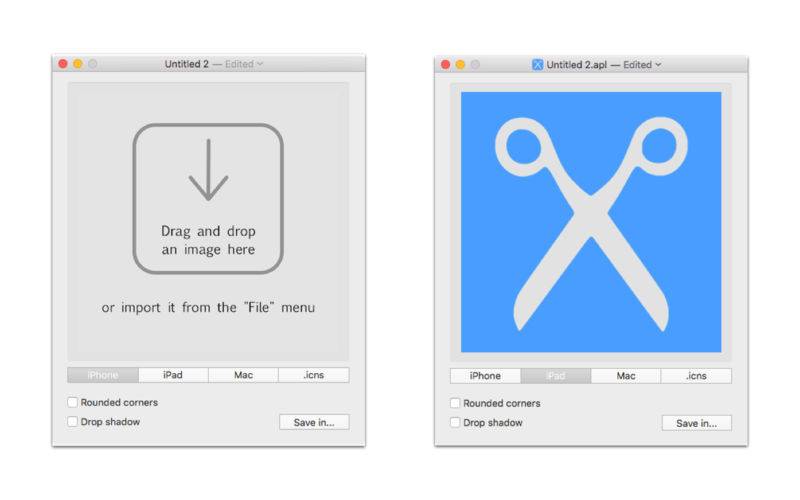
Applicons is a simple and fast utility that allow you generate all the icons/iconset needed for OS X and iOS development (Mac, iPhone and iPad).
“Rounded corners” and “Drop shadow” effects.
Create the .icns file.
The image is resized (1024 px at 72 dpi) if it’s too large/small.
Export your icon as PNG/TIFF/JPEG/JP2/BMP/GIF file format;
iPhone application icons:
40×40 px (Notification@2x)
60×60 px (Notification@3x)
58×58 px (Settings@2x)
87×87 px (Settings@3x)
80×80 px (Spotlight@2x)
120×120 px (Spotlight@3x)
120×120 px (AppIcon@2x)
180×180 px (AppIcon@3x)
512×512 px (iTunesArtwork)
1024×1024 px (iTunesArtwork@2x)
iPad application icons:
20×20 px (Notification)
40×40 px (Notification@2x)
29×29 px (Settings)
58×58 px (Settings@2x)
40×40 px (Spotlight)
80×80 px (Spotlight@2x)
76×76 px (AppIcon)
152×152 px (AppIcon@2x)
167×167 px (AppIconPro@2x)
512×512 px (iTunesArtwork)
1024×1024 px (iTunesArtwork@2x)
Mac application icons:
16×16 px (icon_16x16)
32×32 px (icon_16x16@2x)
32×32 px (icon_32x32)
64×64 px (icon_32x32@2x)
128×128 px (icon_128x128)
256×256 px (icon_128x128@2x)
256×256 px (icon_256x256)
512×512 px (icon_256x256@2x)
512×512 px (icon_512x512)
1024×1024 px (icon_512x512@2x)