Easily resize your Android image assets!
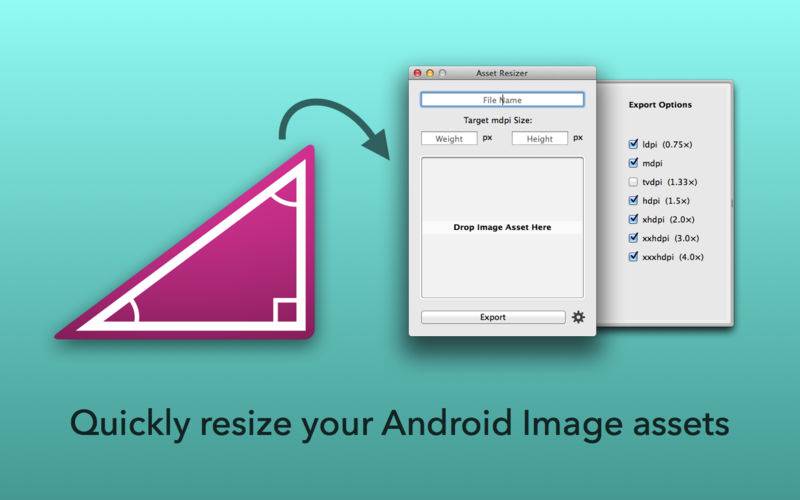
Asset Resizer quickly scales your Android app artwork to the targeted resolution sizes (ldpi, tvdpi, mdpi, hdpi, xhdpi, xxhdpi, xxxhpi).
To use, simply drop in an image asset that is the correct size for (or larger than) your largest desired export size and then hit export. The image will be resized to all chosen resolutions and saved in folders with the corresponding resolution scale names (mdpi, hdpi etc).
Scaling is based on the width and height values you assign the mdpi (standard) resolution, when you drop in an image these will automatically be set to the largest possible values for the resolutions you’ve selected in export settings.
For example, say you wish to scale an app icon image that at mdpi will be 48×48 and you wish to resize to all standard resolutions excluding tvdpi. First, set export settings to have checked all except tvdpi, then drag in your image. If the image is too small the values for mdpi will be set lower than 48×48 meaning you must either obtain higher resolution artwork or change your export targets. If the image is larger than required the width and height values will be higher and you will need to manually lower them to 48×48 to ensure correct resizing when exported. Once completed, exporting will in this case produce six folders all named according to resolution (ldpi, mdpi, hdpi, xhdpi, xxhdpi, xxxhpi) containing images at 36×36, 48×48, 72×72, 96×96, 144×144 and 192×192.