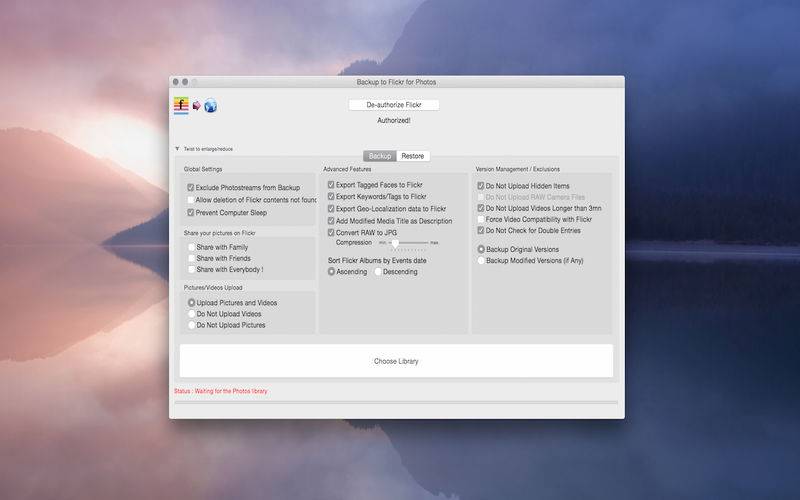
Backup to Flickr for Photos takes your new Photos library and backs it up to Flickr, keeping your structure intact (Photos events become Flickr sets). You need OS X 10.10.3 to use Photos and this app.
Start saving in 10 seconds!
1. Authorize your Flickr account
2. Point to your Photos Library
3. Start the transfer
… and read the F.A.Q located in the About menu 🙂
Remember: You must have photos in events for sets to be created in Flickr!
List of In-App purchases options
1. Advanced Features
– Export tagged faces in Photos to flickr notes (with the ‘face square’)
– Export Tags/Keywords
– Exporter Geo-loc information
– Add Modified Media Title as Description
– Sort albums in Flickr (asc./desc., based on event contained photo dates)
– Seamless Hi-Resolution RAW to Jpg conversion
2. Version Management / Exclusions
– Transfer original or modified versions of pictures
– Option to not include hidden media
– Option to not upload RAW type files
– Option to not upload videos longer than 3mn
– Option to convert videos for max. compatibility