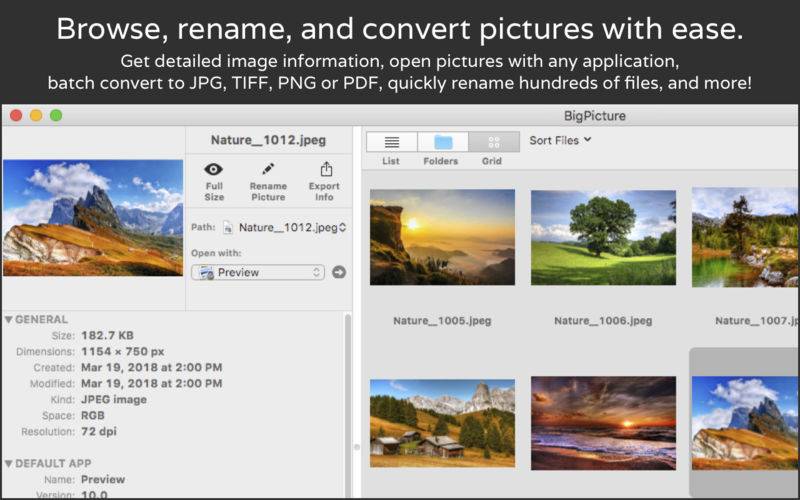
Browse, view, rename, and convert image files with BigPicture. Multiple views for quick and easy navigation, detailed image info, professional and intuitive tools.
• Browse, view, and sort picture files.
– Drag and drop files or folders.
– Sort by several image attributes, or by enclosed folders.
– Grid view for quick visual navigation.
– Folder view to gather files by enclosed folders.
– View detailed info: size, path, dimensions, resolution, color model, exif info, and more.
– Export image info.
– Rename single files.
– Open images with default app, or any app you choose.
– List of recent ‘open with’ apps.
– Print picture list.
• Batch convert pictures to JPG, TIFF, PNG or PDF (BigPicture Pro only)
– Specify color model, resolution, quality, PDF filters and destination folder.
– Define unique file names for converted images.
– Keep original images unmodified.
• Batch rename pictures and files (BigPicture Pro only)
– Filter which images to rename, for example images that end with ‘tif’.
– Compose new file names using 5 name components.
– Preview how the files will be renamed.