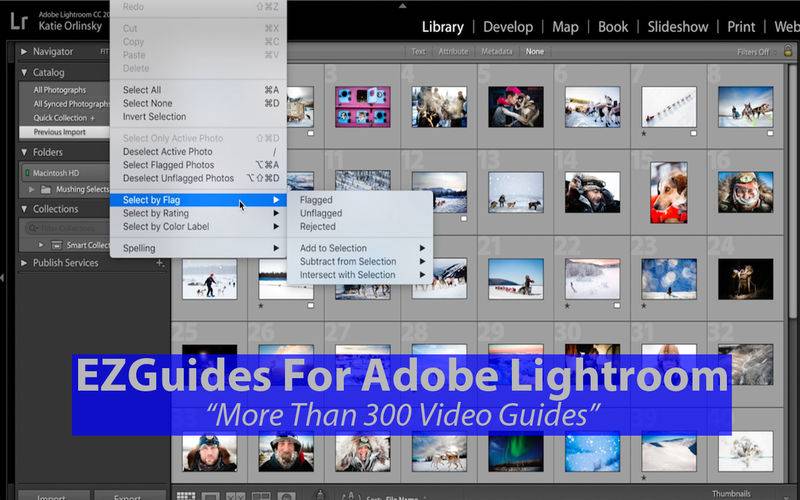
Adobe Photoshop Lightroom (Lr or LR) is a photo processor and image organizer developed by Adobe Systems for Windows and OS X. It allows viewing, organizing and retouching large numbers of digital images. Lightroom’s edits are non-destructive.
Learn how to get the most out of Adobe Lightroom with this collection of MORE THAN 300 Video Tutorial lessons.
Use this app as a “Video Referencing Library” where you can come back for a refresher lesson or search for how to do something new.
App features:
** Edit the video title, subtitle and keep your own set of user notes.
** Move the video around it’s group and even change it’s group.
** Make videos your favourites and give them your own rating
** Search by title or notes
** View by favourites or rating
** View by history the last ten played or visited videos
Lessons include:
Adobe Lightroom 5 – Beginners Tutorials – Introduction to the Series
Adobe Lightroom 5 Beginners Tutorials – 01 – Getting Started
Adobe Lightroom 5 Beginners Tutorials – 02 – Adding Watermarks
Adobe Lightroom 5 Beginners Tutorials – 03 – Securing Your Photos
Adobe Lightroom 5 Beginners Tutorials – 04 – Adjustment Brush
Adobe Lightroom 5 Beginners Tutorials – 05 – Two Important Tools
Adobe Lightroom 5 Beginners Tutorials – 06 – Spot Removal Tool
Adobe Lightroom 5 Beginners Tutorials – 07 – Creating a Preset
Adobe Lightroom 5 Beginners Tutorials – 08 – Retouching a Dark Photo
Adobe Lightroom 5 Beginners Tutorials – 09 – Dramatic Night Photo
Adobe Lightroom 5 Beginners Tutorials – 10 – Retouching a White Sky
Adobe Lightroom 5 Beginners Tutorials – 11 – Fake HDR
Adobe Lightroom 5 Beginners Tutorials – 12 – Dramatic Black and White
Adobe Lightroom 5 Beginners Tutorials – 13 – Selective Black And White
Adobe Lightroom 5 Beginners Tutorials – 14 – Hollywood Look
Adobe Lightroom 5 Beginners Tutorials – 15 – Landscape Retouching
Adobe Lightroom 5 Beginners Tutorials – 16 – Tips On Long Exposure
Adobe Lightroom 5 Beginners Tutorials – 17 – How To BackUp Important Things
Adobe Lightroom 5 Beginners Tutorials – 18 – Wash Of Look
Adobe Lightroom 5 Beginners Tutorials – 19 – Potrait Retouch
Learn Lightroom 6 CC – Episode 1 Quickstart
Learn Lightroom 6 CC – Episode 2 Tools Lens Corrections
Learn Lightroom 6 CC – Episode 3 Process a BW Image
Learn Lightroom 6 CC – Episode 4 Portrait Retouch
Learn Lightroom 6 – Episode 5 Sharpening Noise Reduction
Learn Lightroom 6 CC – Episode 6 Tone Curve
Learn Lightroom 6 CC – Episode 7 Split Toning
Learn Lightroom 6 CC Episode 8 Processing Workflow Pt 1
Learn Lightroom 6 CC – Episode 9 Processing Work Flow Pt 2
Conventional vs Digital Watermarks Pt 1
Conventional vs Digital Watermarks Pt 2
Learn Lightroom 6 CC – Episode 10 Processing Workflow Pt 3
Learn Lightroom 6 CC – Episode 11 Create a Panorama
Learn Lightroom 6 CC – Episode 12 Create an HDR Image
Learn Lightroom 6 CC – Episode 13 Loose Ends
Whats New in Lightroom 61 CC20151
How I Backup My Images
Learn Lightroom 6 CC Episode 14 Selective Color
Learn Lightroom 6 CC – Episode 15 Watermarks
Learn Lightroom 6 CC – Episode 16 Advanced BW Processing
Learn Lightroom 6 CC – Episode 17 HDR From a Single Image
Whats New In Lightroom 62 CC20152
Learn Lightroom 6 CC Episode 18 Convert a Scanned Color Negative
Learn Lightroom 6 CC Episode 19 Smart Previews
Whats New in Lightroom 66 – CC20156
Learn Lightroom 6 CC Episode 20 HDR Without the HDR Look
High Noise Workflow Using Lightroom Topaz Denoise and On1 Effects
Learn Lightroom 6 CC – Episode 21 My Panorama Workflow
Learn Lightroom 5 – Part 1 Quickstart Training Tutorial
Learn Lightroom 5 – Part 2 Tools Training Tutorial
Learn Lightroom 5 – Part 3 The Develop Workflow Training Tutorial
Learn Lightroom 5 – Part 4 Processing a Photo Into Black White Training Tutorial
and more