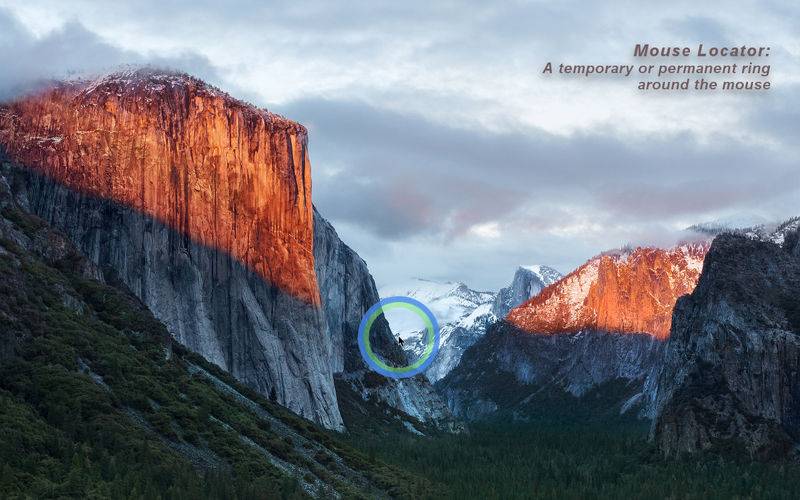
Modern computers with multiple high resolution displays present us with the “where is my mouse” problem. myPoint solves it using three different techniques – a momentary or permanent mouse locator, a permanent crosshair and a permanent mouse halo.
• Momentary mouse locator is a visual effect active up to few seconds. It can be an animated or static ring.
• Permanent mouse locator is a static ring only.
• Permanent crosshair displays two thin lines across the mouse position.
• Permanent mouse halo highlights the mouse cursor using an image shown around it. A free online halo gallery is available.
All tools are highly customizable: geometry, transparency, animation speed, hotkeys, mouse gesture, events.
Mouse Locator reveals the mouse cursor position with a gently animated or static ring.
• Activation:
– Hotkey combination.
– Single modifier key.
– Mouse gesture.
– Mouse movement between screens.
– Mouse movement after a period of inactivity.
– On mouse click.
– On mouse drag.
• Customization:
– Colors and opacity.
– Size and thickness.
– Animated or static.
– Animation speed and repetition.
– Momentary or permanent.
• The locator module can be disabled.
Crosshair displays two thin lines across the mouse position.
• Visible on all monitors or only on monitor with mouse pointer.
• Customizable performance, gauge, color, transparency, center and offset from mouse.
• Hotkey to toggle the tool.
Mouse Halo is an image permanently shown around the mouse cursor. The classic halo is a ring surrounding the cursor. However any image can be used as a halo source. Even more the image can be positioned aside of the cursor. A free online halo gallery is accessible from the preferences panel – an easy way to import new halos. The user can create its own halos too.
• Activation:
– Hotkey to toggle the halo visibility.
– Hotkey to show the next halo from the predefined halo set.
• Customization:
– Size and opacity.
– Rotation speed and direction.
– Offset from mouse position.
– Flip, shrink or cut the image.
– Select preferred halos in so called halo set.
• Preinstalled halo pack.
– Classic: daisy chain, ancient ornaments, fan, amber mosaic, ring shadow.
– Reading lines: thin, thick, stick shadow.
– Rulers: horizontal, vertical.
– Crosshair, big arrow.
– Diagonals: two stars, twin spark.
• Free online halo gallery.
– The gallery is accessible from preferences panel.
– Browse & click to import new halos.
– Never-ending update of new halos.
• Unlimited user created halos.
• The halo module can be disabled.
• General features:
– Tools are visible on all monitors and in full screen.
– Customizable hotkeys to handle tools.
– Hotkey to show or hide application menu in menu bar extras.
– Can start automatically at user login.
– Common Preferences panel for all settings.
– Support multiple users, screens and desktops.
– Built on Apple’s security paradigm sandboxing – reducing the threat of rogue code and malicious software.
• Notes:
– When myPoint is running, no icon is shown in the Dock. The control is through a menu in menu bar extras.
– myPoint neither changes the shape of mouse pointer nor hides it.
– Read user experience tips on our web site.
– myPoint is designed for maximum control and features. If you prefer simplicity please consider Simple Mouse Locator.
– If you have an inquiry or need a help to tune up our app, or just want to share with us your feedback please drop us a line at support@coderace.net. We will do our best to answer you in 24 hours.