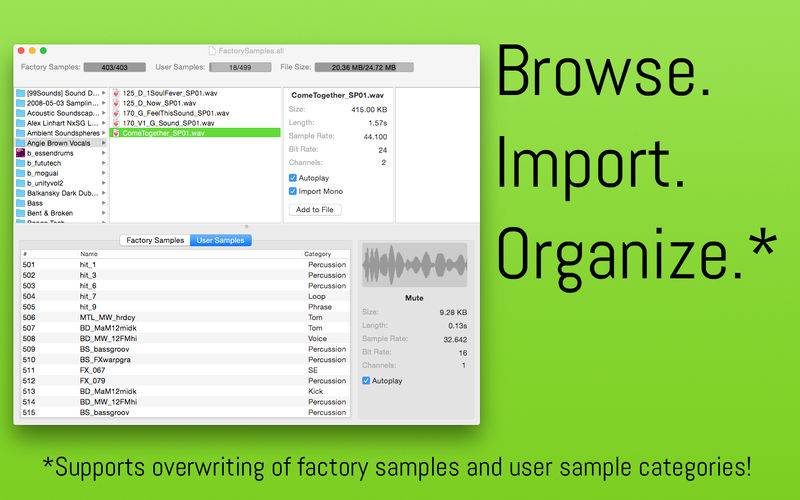
Electribe Sample Manager is a must have for all owners of the new Korg Electribe Sampler.
With Sample Manager for Electribe Sampler you
– easily browse for wav and aif files on your harddisk and mounted devices
– prelisten the samples automatically
– import them into an .all-file with the click of a button or via drag and drop
– automatically convert samples to mono if needed (stereo samples require 2 parts on the Electribe Sampler)
– save the samples into a single .all-file which can be read by the Electribe Sampler on start-up
– easily delete single or all factory samples
– rename samples
– and the best at the end:
*** overwrite single or all factory samples (+ 403 sample slots!) ***
*** categorize user samples ***
Save the file as “e2sSample.all” in the folder KORG/electribe sampler/sample on an SD card,
insert it into our Electribe Sampler, (re)start and you are good to go!
Note:
Please keep backups of your .all-files.
In case a sample cannot be imported feel free to contact me.