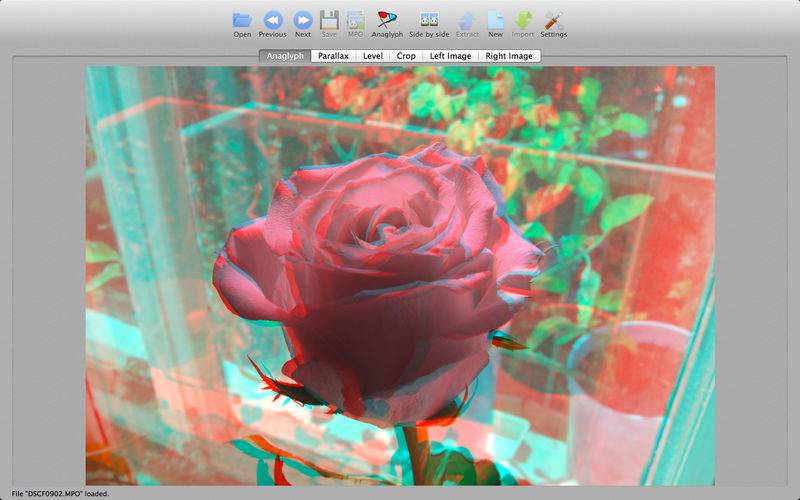
Stereo Master is viewer, editor, converter and creator of stereo image files: MPO files, side-by-side or anaglyph images
With Stereo Master you can:
– view MPO and side-by-side stereo images as red/cyan anaglyphs
– correct parallax of your stereo images to adjust what is in front and what is at back of stereo effect
– correct horizon level of your stereo images
– crop your stereo images
– create stereo image from left and right images to make your own MPO, side-by-side or anaglyph files
– convert between MPO, side-by-side and anaglyph stereo formats, for example you can load MPO file and save it as side-by-side image, or you can load side-by-side image and save it as anaglyph
– extract left and right images from your stereo file
Some 3D TVs fail to show properly MPO photos with non-zero parallax. Stereo Master allows you to set stereo image parallax to zero.
Please visit website to see examples.
When registering on Support Forum anti-spambot password is: “iOS”.
IMPORTANT: to run Stereo Master on RETINA screen you need to turn on “Open in Low Resolution” system property of application file.