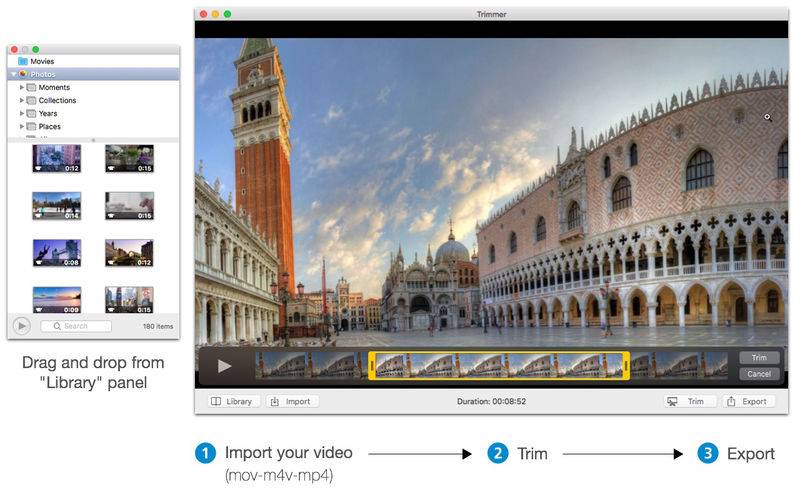
Trimmer is an application simple and easy to use that allows you to trim your videos.
Features:
– load your video (mov-m4v-mp4 file);
– drag and drop video files from “Finder” or from “Library” panel;
– select the start/end points and trim the video;
– check the video duration;
– export your video choosing the extension (mov-m4v-mp4) and size;
– choose the player’s style (inline/floating).
Keyboard shortcuts:
– spacebar: play/pause;
– right/left arrows: next/previous frame;
– J: rewind;
– K: stop;
– L: fast-forwards;
– cmd+L: open library;
– cmd+I: import;
– cmd+T: trim;
– cmd+E: export.
Supported MOV sizes:
– 640 x 480
– 960 x 540
– 1280 x 720
– 1920 x 1080
– 3840 x 2160
Supported M4V sizes:
– 480p SD
– 720p HD
– 1080p HD
– Cellular
– iPod
– Apple TV
– WiFi
– ProRes 422LPCM