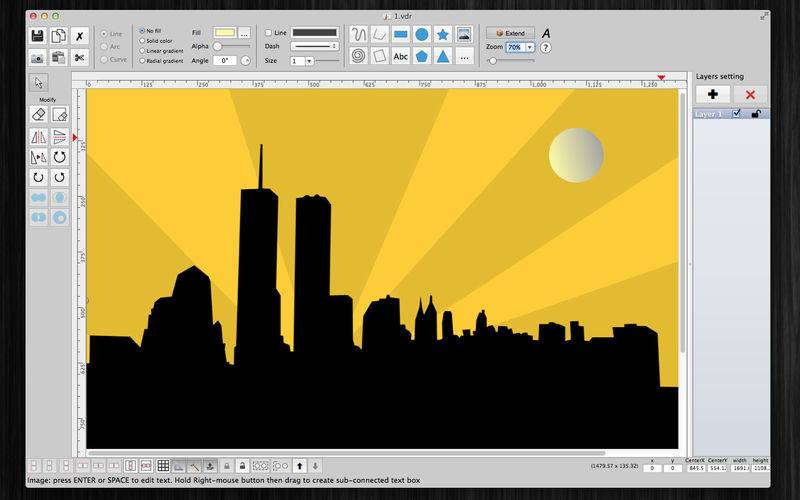
xDraw (a vector drawing application) is an easy-to-use tool for drawing.
FEATURES:
– Allow to insert image by drag image to the canvas
– Move and arrange shapes, polylines easily
– Support custom background
– OPEN/SAVE to “*.VDR” file so that you could load it later for editing
– Export to png, jpeg, tiff, pdf image file (shortcut key: Cmd-E)
– Capture To Clipboard: Press “CMD 4” or click on Capture button
– Boolean path operations (union, difference, xor, intersection) supported
– Print supported (shortcut key: Cmd-P)
– Unlimited Undo/Redo (shortcut key: Cmd-Z / Shift-Cmd-Z)
– Copy / Paste (shortcut key: Cmd-C / Cmd-V)
– Duplicate select items (shortcut key: Cmd-D)
– Group / Ungroup Items (shortcut key: Cmd-R / Shift-Cmd-R)
– Lock/Unlock items position (shortcut key: Cmd-L / Shift-Cmd-L)
– Scale size of select items
– Gradient fill supported
– Shadow supported
– Snap to Grid
– Auto Align with another object when resize or move
– Change display order
– Customizable color / Font / Size / Line Type
– Allow to Export image in 300dpi
– Allow user to select items then save them to template list to reuse later
Note: the application does not support SVG file.
SUPPORT
If you have any questions or feedback, you can contact us by email on vu.tienthinh@yahoo.com