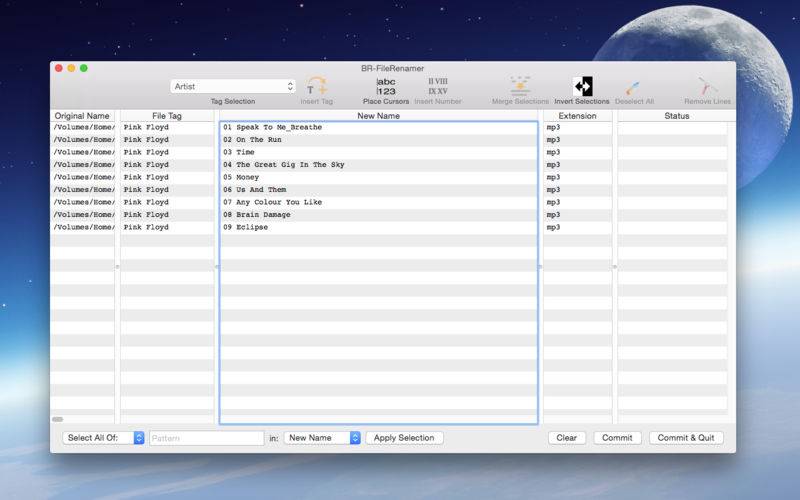
A unique approach to file renaming.
Select the files to be renamed, drop them in the window (or use right-click -> Open in BR-Renamer), and start editing like in any normal text editor.
But unlike a normal text editor, BR-Renamer allows multiple cursors and block selections. Making it is possible to insert/replace text in all filenames simultaneously, resulting in an extremely quick renaming action. Finally you can clean up that folder with hundreds (or more?) files!
Special features:
– Can read text tags from supported files and insert these tags into the file name
– Inserting a sequentially increasing number on each line with only two mouse-clicks, using leading zero’s if desired.
– Select text simultaneously in all lines.
– Using a regular expression for text selection with live updating of the screen while typing the regular expression.
– A special status column informs about possible naming conflicts.
– Use of right-click (or ctrl-click) in each column for extra options.
– Extensive undo/redo support.
– Copy/Paste works on multiple lines (cyclic paste buffer).
– Modify the filenames and review the result before committing the changes.
– Help topics available.