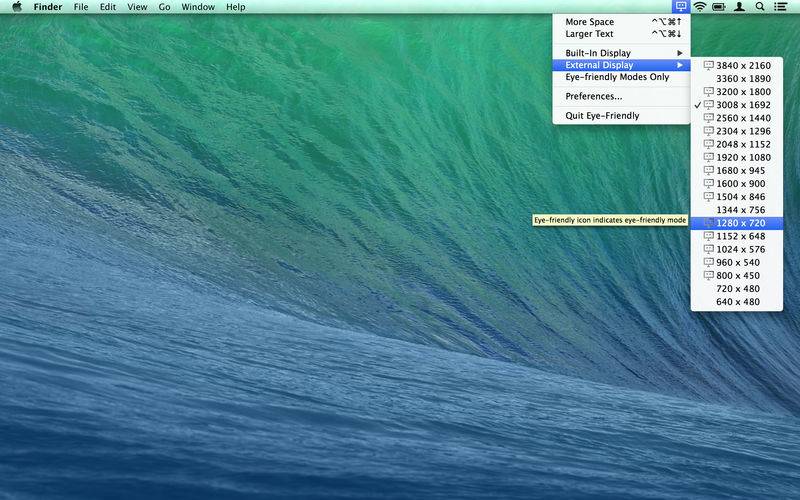
Display Resolution Switching gets casual.
– Four mice in Macworld review –
– Recommended by Marco Arment (www.marco.org/2013/02/21/eye-friendly) –
Have to get real work done? Get more screen space. Tired after work? Get larger text.
With just a keystroke. In superb sharpness*.
– Use keyboard shortcuts (configurable) to casually step through display resolutions
– Let the location of your mouse pointer decide which display to be affected
– Skip resolutions by hitting a shortcut repeatedly
– Eye-Friendly will display resolution descriptors en passant while you are stepping
– Enjoy superb sharpness (in HiDPI modes*)
– Observe HiDPI and native resolutions tagged as “eye-friendly” and optionally hide any other
Once hooked you won’t want to miss Eye-Friendly.
*) HiDPI modes available only on Retina Macbooks or Macs with Quartz Debug installed.