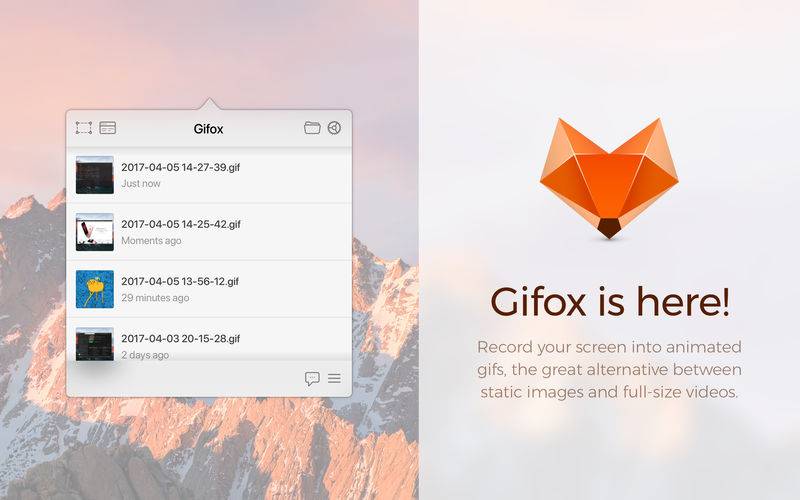
Gifox is a beautifully designed and masterfully crafted app that records your screen into animated GIFs – the great alternative between static images and full-size videos. It’s your best companion for:
– Micro-screencasts and product demos
– Animated instructions and bug reporting
– Selective on-screen video capturing
SELECTION MODES
Gifox introduces a completely new way of continuous screen capturing with window selection mode – you select a window and Gifox precisely records it even when it’s moved or covered up by other windows. Free selection mode is also there for you – fast-select any area on the screen and hit record, like you used with the standard grab app / Cmd+Shift+4 command.
– Pixel-sharp selection with accurate margins
– Only selected window without any overlaps
– With or without window shadow
– With or without desktop background
– Lockable aspect for fast selection restore
CAPTURE CONTROL
A set of capturing options accessible via preferences window let you explicitly control your recording and output.
– Record fps
– Playback fps
– Repeat count and pause
– Mouse cursor
– Window shadow
– Desktop background
COMPRESSION OPTIONS
Advanced compression options provide complete control over output quality and file size.
– Color
– Palette generation
– Dithering
– Downscaling
SHORTCUTS
Open up Gifox in any selection mode using preconfigured global shortcuts or customize them in preferences.
– Cmd+Shift+5 initiates free selection mode recording
– Cmd+Shift+6 initiates window mode recording
– Space/Cmd+Esc starts and stops current recording
– Cmd+A/D selects full screen and clears the selection
– Arrows+Cmd/Shift resizes and moves the selection
SHARING
Easily share your recordings with built-in Dropbox, Google Drive and Imgur integrations. GIFs can be copied or drag-and-dropped directly into other apps straight from the status bar! Support for more great services is underway, but we want to know what integrations would be most useful for you – let us know using the in-app feedback form or contacts on our website.