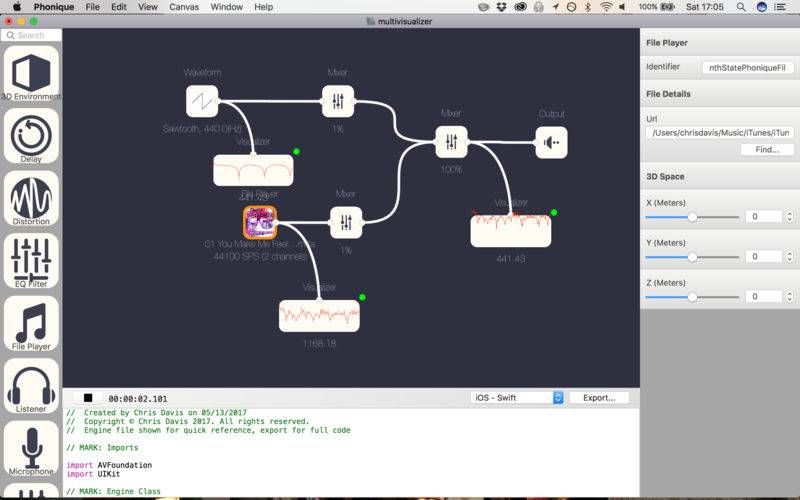
Drag, Drop & Connect to create Audio Engine Graphs and export the results to Swift 3.
Phonique allows you to add and configure audio in a GUI environment.
Watch videos on YouTube: https://www.youtube.com/watch?v=P0EbfY8voiI&list=UUCPtZMEo5VOXLYuy6CrqbJg
Components included:
3D Environment – Allows the user to put a sound in a 3d space.
Delay – Plays a sound with a delay.
Distortion – Distorts a sound…like playing through a broken speaker.
EQ Filter – Classic filters, Low pass/High pass.
File Player – Plays an MP3/M4A.
Listener – A custom event that checks if a parameter is set.
Microphone – A microphone.
Mixer – Mixes multiple signals into one output.
Output – The Default speaker.
Parameter LFO – A Low frequency Oscillator for parameters.
Pitch Shift – Changes the pitch of a sound.
Recorder – Records the output to a file.
Reverb – Echoes, like your in a large cathedral
Trigger – Create a button to change parameters.
Visualizer – Show the audio signal as a graph
WaveForm – Generates a sine wave/triangle/square/sawtooth wave.
Projects can be saved and shared.