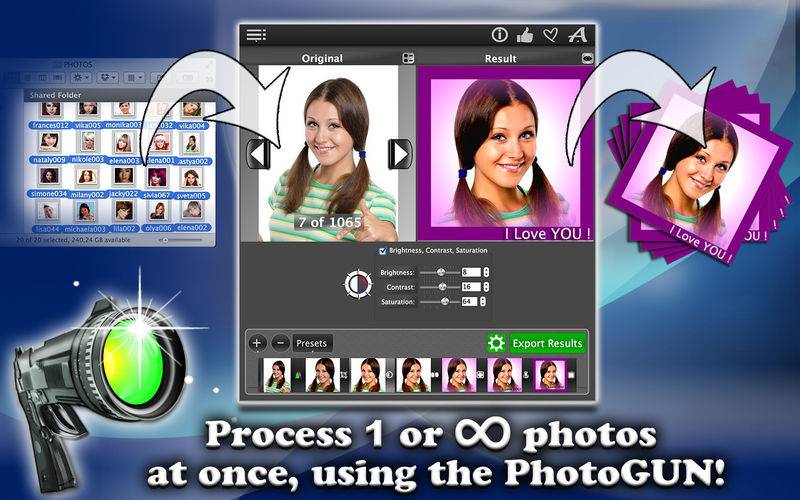
The Secret Weapon for All Your Photo Processing Needs!
No more time consuming, repetitive work! Simply drag and drop a picture, a hundred or thousands of photos, to the drop-window and select operations you want to apply to them. With a click of the “Save Results” button all processed photo-files are stored in a separate output folder.
You can perform the following operations:
– Resize photos to make them more suitable for emails, blogs, websites, social networks, your personal use or for your business;
– Adjust brightness, contrast and saturation to enhance the light and color balance;
– Add professional touches to your photos and apply “Vignetting”, a creative effect, to draw attention to the center of the frame;
– Add watermark to prevent unauthorized use and/or copyright text or company logo with a customizable transparency level and other parameters. You can also use this operation to merge your photos;
– Crop to cut away unneeded image parts;
– Rotate to change the image angle;
– Mirror to flip the image vertically and horizontally;
– Blur to hide some of the details of your photos (different levels of blurring available);
– Add Borders for a decorative look using different frame thicknesses and colors;
– Swap the RGB-channels;
– Apply the Histogram optimization to automatically improve photos taken under similar conditions;
– Binarize the images, using the threshold value and produce the monochromatic results;
– Grayscale to convert color images into black-and-white ones
– Invert the photos;
– Convert the file formats into/from JPEG, PNG, TIFF, BMP, XPM, PPM, including the full range quality compression of JPEG ranging from 1% to 100%;
– Give new names to your photos;
– Change the order of operations to achieve the best result;
– Save the operation flows as presets, if you will need them over and over again;
– Preview all images at each stage of the applied operations by clicking the eye symbol on the flow thumbnails, with retina-ready graphics.
We hope you will have as much fun using PhotoGUN as we had creating it for you!
WHAT USERS SAY
“After a couple days of using PhotoGun I cannot imagine processing multiple images without it. In the past, I wasted hours upon hours adjusting image files one-by-one. If I had PhotoGun a few years ago I probably wouldn’t need to wear a wrist brace for carpel tunnel syndrome today. Thank you, Neonway, for creating such a useful utility.”
Tommy Zai from Chandler
“I absolutely love this photo gun!!! So easy to upload your photos and add your watermark to.” By robin