Stream for YouTube is the ultimate Mac app for YouTube, best of it’s kind. It’s equipped with 3 distinctive modes and numerous amazing features to give you the best experience of viewing movie trailers, music videos, playlist, and more in a standalone app designed just for YouTube.
Features:
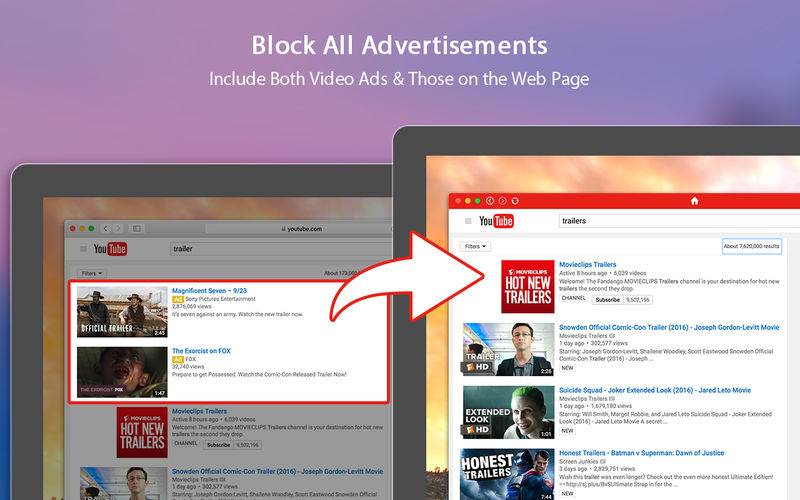
– Block all advertisements, including both video ads & those on the web page.
– Instantly access YouTube from desktop.
– Run directly from menu bar.
– Use YouTube and watch videos on your Mac without opening web browsers.
– Launch the app at login.
– 3 modes for your preferences: Widget Mode, Mini Mode, and Desktop Mode.
– Watch, comment & upload videos.
– Show/hide the app’s Dock icon.
– Pin the app’s window on the very top.
– App background color & transparency customization.
– Window activation with custom shortcut.
– Resizable window.
– Fullscreen support.
In the Pro version, you also will get:
– The ability to auto pause video playback when window becomes hidden.
– The ability to auto resume video playback when window becomes active.
– Zoom video thumbnail when mouse hover.
– Hide any page elements of your choice, including header, related videos, videos description, video details, comments & footer.
– Other small features and improvements.
In Stream for YouTube, you’re about to get the best YouTube video viewing experience possible with one simple click in the menu bar!
Technical Support:
If you need technical support for this app, please email us and we will get back to you in hours. The email address is yinxiaoqi.assistance@gmail.com .
Legal Note: Stream for YouTube is a 3rd party app and it’s not built by or associated with YouTube. YouTube and its logos are the trademarks of Google, Inc.