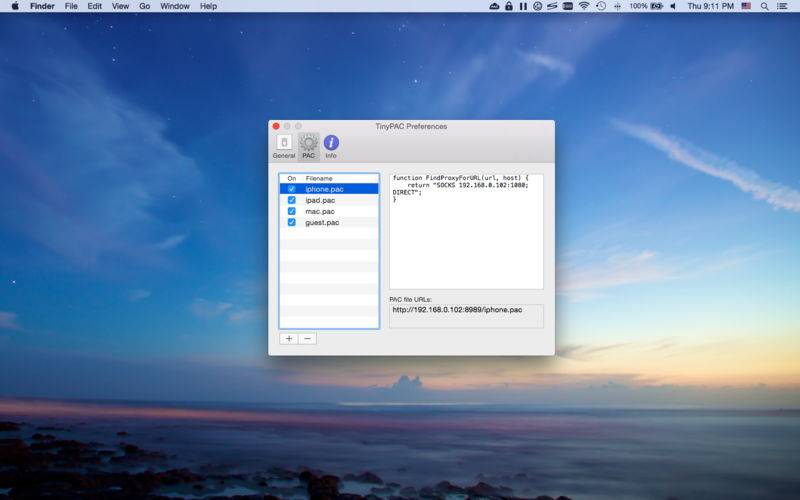
TinyPAC is a simple HTTP server that allows you host your .pac files easily.
* How to Use TinyPAC
1. Launch TinyPAC
2. Start the PAC service
3. Switch to the “PAC” tab and add a configuration file
4. Select the previously created item and you’ll see the PAC file URLs on the button right
5. Use the above URLs to configure your web browser / client
* Safari / Chrome Configuration (macOS)
1. Open System Preferences
2. Go to “Network” and select the current network
3. Go to “Advanced -> Proxies”
4. Enable “Automatic Proxy Configuration” and paste in the PAC URL
5. Click “OK” and then “Apply”
* Firefox Configuration (macOS)
1. Launch Firefox
2. Go to “Preferences… -> Advanced -> Network -> Settings… ->”
3. Select “Automatic proxy configuration URL”, paste in the PAC URL and click “OK”
Note: TinyPAC is a helper app that hosts the .pac files for your computers / devices, it is not a proxy server itself.